Discover the File Manager Plus for Android—a free, fast, and powerful file explorer that makes managing your device, NAS, and cloud storage simple. With user-friendly controls and a modern interface, it's easy to organize, move, and analyze files across all your devices.
Key Features of File Manager Plus

An All-in-One File Management Tool:

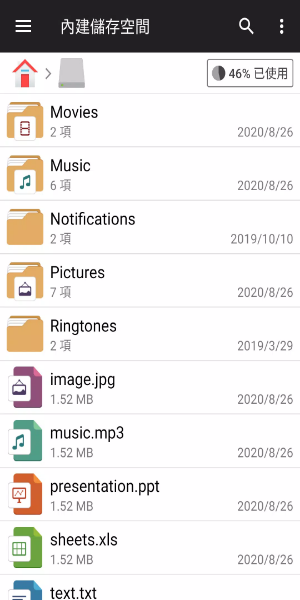
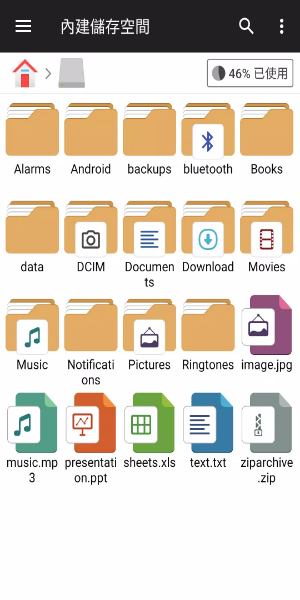
File Manager Plus is the ideal tool for browsing files and folders on Android devices. It offers a wide range of functions, including opening, searching, navigating directories, copying, pasting, cutting, deleting, renaming, compressing, decompressing, transferring, downloading, bookmarking, and organizing files in various formats—from media to APKs.

Complete Storage Management:

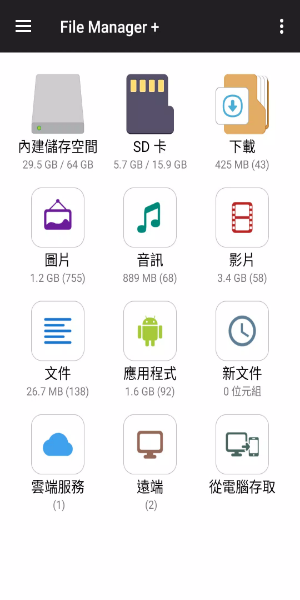
Effortlessly manage files across Main Storage, SD card, and USB OTG. Whether you're organizing Downloads, New files, Images, Audio, Videos, or Documents, everything is neatly categorized for easy access. You can also view and manage all installed applications directly from the app.

Cloud and Remote Access:

Access your cloud storage services such as Google Drive™, OneDrive, Dropbox, Box, and Yandex, as well as remote or shared storage like NAS and FTP servers. File Manager Plus also enables you to connect to your Android device's storage from your PC using FTP for smooth file transfers.

Storage Analysis and Cleanup:

Analyze local storage to find and remove unnecessary files, maximizing available space. Easily see which files and apps are taking up the most space and manage them accordingly to free up room.

Tools and Built-in Utilities

Improved Media Support:

Experience built-in image viewing, music playback, and text editing directly within File Manager Plus. These internal tools offer quick access and smooth performance for handling media and text files on the go.

Archive Management:

Quickly compress and decompress archive files. File Manager Plus supports common compression formats like zip for archiving and zip, gz, xz, and tar for extracting files from archives.

Compatibility Across Devices:

Designed for Android TV, phones, and tablets, File Manager Plus ensures consistent performance across different devices, delivering a unified file management experience tailored to your specific device type.

User Experience and Accessibility

Easy-to-Use Interface:

With its straightforward yet powerful interface, File Manager Plus delivers an intuitive user experience that is easy for both beginners and advanced users to navigate. The app's layout and navigation are designed with usability and quick access in mind.

Free and Full-Featured:

File Manager Plus is completely free to use, with no hidden fees or in-app purchases. It provides all the features and functionalities right from the moment you download it, offering a complete file management experience without restrictions.

Stay Organized and Secure:

Keep your files and folders secure with File Manager Plus. The app offers a safe environment for managing sensitive data while ensuring all file operations are carried out safely and efficiently.

Download File Manager Plus today and take control of your files like never before. Enjoy smooth file management across all your devices with ease and efficiency.