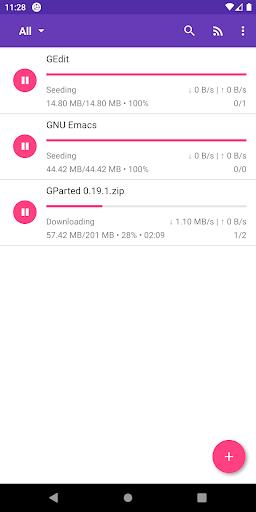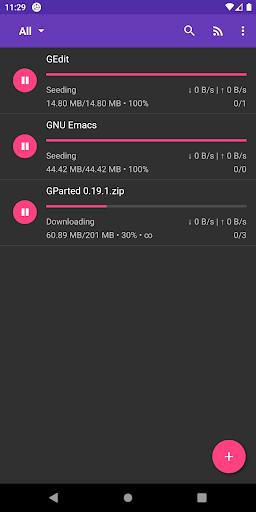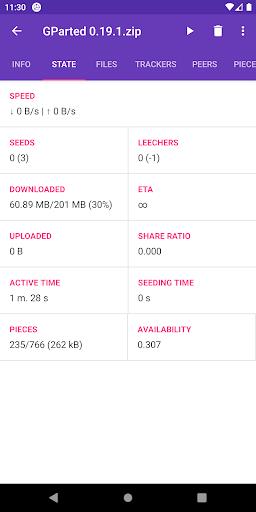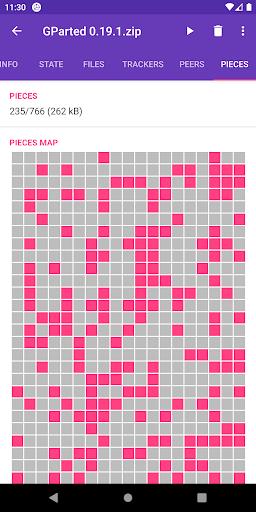
Meet LibreTorrent, the premier torrent client for Android. This application enables you to directly download and share files on your device, offering the freedom to enjoy your favorite content anytime, anywhere. Featuring DHT, encryption, and UPnP support, your downloads stay secure and fast. Advanced settings for power management, network optimization, and UI personalization are also included. Whether you're grabbing torrents with hundreds of files or streaming media, this app delivers. Its sleek Material Design and tablet-optimized interface make navigation smooth and intuitive.
Key Features of LibreTorrent:
DHT, PeX, encryption, and beyond: LibreTorrent supports multiple protocols and features that boost your torrenting experience. It utilizes Distributed Hash Table (DHT) and Peer Exchange (PeX) to enhance torrent speed and availability. Encryption further ensures your downloads remain private and secure.
Highly customizable settings: You have complete control over network configurations, power management, battery usage, and interface preferences. This lets you fine-tune the app to match your specific needs, maximizing performance and ease of use.
Handles large and complex torrents: This app excels at managing torrents containing many files and large sizes. It's perfect for downloading multi-episode TV series, complete music collections, or any content with numerous files.
Comprehensive file management: Enjoy a range of practical file management tools. You can relocate files even during download for flexibility and better organization. Additionally, the app can automatically move finished downloads to another directory or external drive. It also lets you set file and folder priorities, so you can choose which items download first.
User Tips:
Personalize your settings: Make the most of LibreTorrent's customization options. Tweak network settings for better speeds, manage power and battery to save energy, and adjust the interface to suit your style. Try different setups to discover what works best.
Organize your downloads: Use the ability to move files during downloads and auto-sort them afterward. This helps keep your downloaded content tidy and easy to locate later.
Focus on priority files: For torrents with multiple files, use the priority feature to download the most important ones first. This is especially useful for large torrents or when you only need specific files.
Conclusion:
LibreTorrent is a powerful, feature-packed torrent client for Android. Its support for advanced protocols, customizable settings, and extensive file management provides an efficient and user-friendly way to download and share files. Whether handling large torrents, complex file structures, or seeking a tailored experience, this app is up to the task. Leverage its features and tips to elevate your torrenting on Android.