
PowerDirector is a state-of-the-art video editing app celebrated for its innovative tools and intuitive design. It excels as both a video editor and creator, featuring a groundbreaking AI Body Effect that lets users apply dynamic visual effects to moving subjects with ease. From a green screen editor and video stabilizer to monthly tool updates, PowerDirector provides a complete toolkit for turning everyday clips into captivating content. With extras like Anime Photo Templates and an extensive stock library, it meets a wide range of creative demands.
Revolutionary AI Body Effect
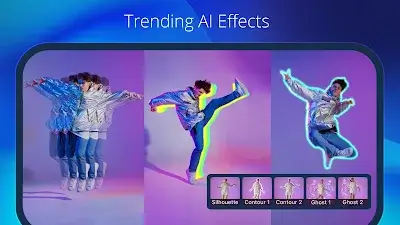
PowerDirector's standout feature, the AI Body Effect, marks a major advancement in mobile video editing. This innovative technology allows users to apply impressive visual effects that naturally follow the shape of a moving body. By removing the need for complex manual edits, it saves significant time and enables creators to achieve a polished, studio-quality look previously out of reach for mobile. With the AI Body Effect, PowerDirector makes it simple to produce professional-grade videos, demonstrating the app's dedication to expanding the possibilities of mobile editing.
Diverse Anime Photo Templates
The addition of Anime Photo Templates brings a fun, creative element to PowerDirector. Users can easily turn themselves into cartoon characters by selecting a template, importing their clips, and watching as anime-style effects, transitions, and music transform their footage into a vibrant animated masterpiece.
Pro Video Editor
PowerDirector's Pro Video Editor gives users the power to turn ordinary footage into extraordinary stories. This video maker includes a green screen editor and video stabilizer, offering access to a rich collection of professional editing tools that are refreshed every month. Whether you're crafting slow-motion sequences or assembling video collages, PowerDirector delivers a full suite of features to realize your creative vision.
Accurate Video Editing & Enhancement
PowerDirector streamlines editing with user-friendly controls. Trim, cut, splice, and rotate videos with simple taps. Fine-tune brightness, color, and saturation with precision. Apply stunning effects and transitions using drag-and-drop simplicity. The multi-layer timeline lets you combine photos and videos, while adding text and animated titles takes just seconds. The app's flexibility also shines in creating video and photo collages with custom overlays.
Other Advanced Features
With its wide array of features and content, PowerDirector ensures editors of all skill levels can become proficient. Key highlights include:
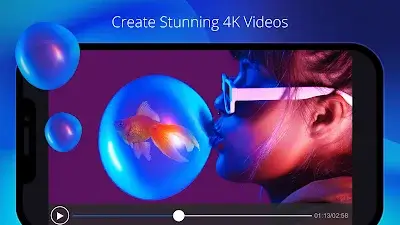
- Edit and export videos in up to 4K resolution.
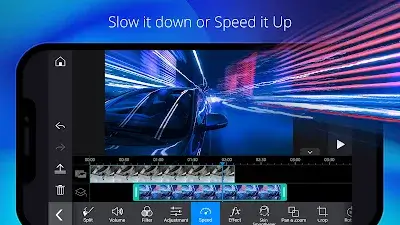
- Adjust video pacing with speed controls.
- Smooth out shaky footage using the video stabilizer.
- Enhance brightness and saturation with adjustment layers.
- Design engaging intros with animated titles.
- Experiment with sound using the voice changer.
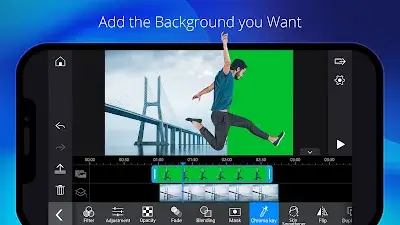
- Remove backgrounds effortlessly with smart cutout, or use chroma key for green screen replacement.
- Apply Keyframe controls for precise adjustments to transparency, rotation, position, and scale in picture-in-picture and mask effects.
- Create double exposure visuals with video overlays and blending modes.
- Upload your finished videos directly to YouTube and Facebook to share your best work with the world.
Conclusion
PowerDirector is more than a video editor—it's an all-in-one video creation suite designed for creators at every level. Through continuous innovation and a focus on delivering powerful yet approachable tools, the app has established itself as a top choice for anyone wanting to enhance their video projects. Whether you're just starting out or are an experienced pro, PowerDirector is ready to be your creative partner in the dynamic world of video production.