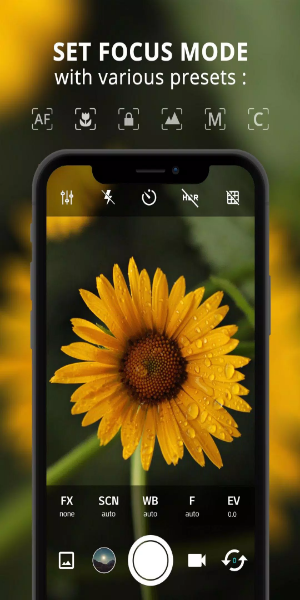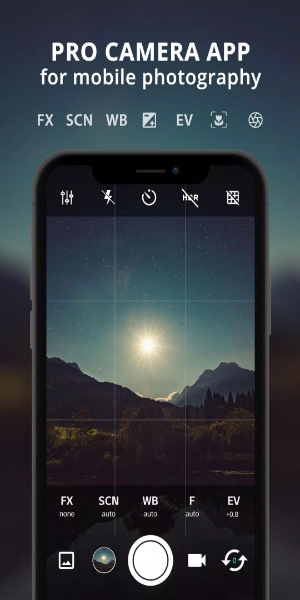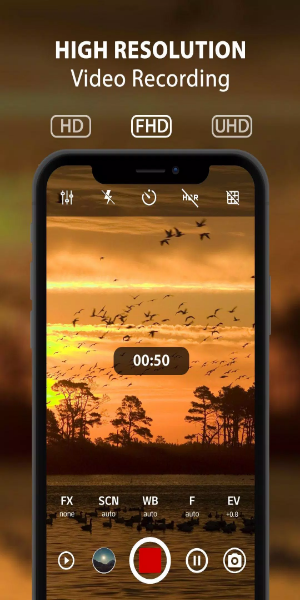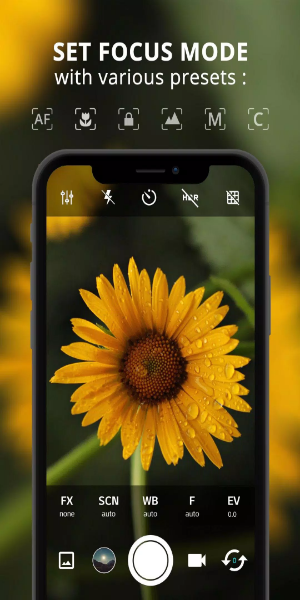
ProCam X Lite: HD Camera Pro is a sophisticated mobile photography app, designed to bring professional-level tools to your smartphone. It bundles a suite of high-end features for capturing stunning HD photos and videos. Suitable for both hobbyists and experienced photographers, ProCam X Lite offers easy-to-use controls for exposure, ISO, focus, live filters, and editing. Every moment can be captured with accuracy and artistic flair. Experience professional photography made simple with ProCam X Lite, where creative potential meets everyday convenience.
Features
- Exposure Control: Gain complete control over your images by locking or manually setting the exposure. This ensures ideal lighting and contrast, no matter your shooting environment.
- White Balance Control: Fine-tune white balance to suit any lighting, from indoor artificial light to bright sunshine. Achieve accurate, natural colors in every shot.
- Manual ISO: On camera2api-supported devices, manually adjust ISO to manage sensor sensitivity. This is key for reducing noise and capturing clean, detailed images in low light.
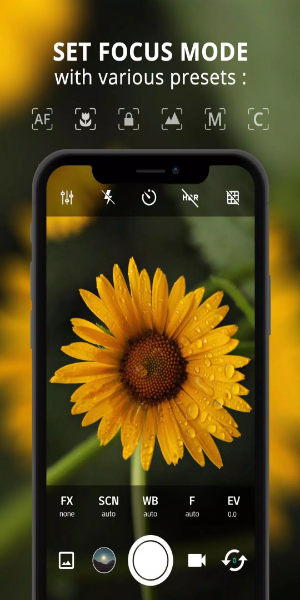
- Manual Focus: Enabled via camera2api, take precise control over focus for razor-sharp images. Define your focal point like a pro for perfect clarity.
- Manual Shutter Speed: On compatible devices, manually set the shutter speed to control exposure time. Perfect for creating motion blur in action shots or freezing fast movement.
- Intervalometer: Automate timed shots to create beautiful time-lapse and stop-motion videos. Set intervals to capture slow changes and bring scenes to life.
- Burst Shooting Mode: Capture rapid sequences of images to never miss a fleeting moment. Choose the best shot from the series for perfect action or candid photos.
- Custom Video Bit Rate: Adjust the video bit rate to balance quality and file size. Record crisp, clear videos with minimal compression for superior results.
- Real-time Filters/Color Effects: Apply live filters and color effects to instantly enhance your photos. Experiment with different looks to add artistic style to your work.
- Geotagging: Automatically tag photos with location data. Organize memories by place and relive your adventures through mapped photo journeys.
- Anti Shake: Reduce camera shake for clearer, more stable photos, especially in tricky conditions or when zooming in. Get sharper results by minimizing blur from hand movement.

How to Use
1. Installation and Setup:
- Download and install ProCam X Lite from the Google Play Store.
- Launch the app and allow required permissions like camera and storage access.
2. Navigating the Interface:
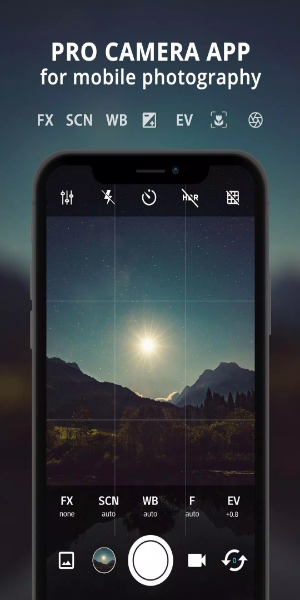
- Get to know the intuitive layout, which includes controls for exposure, ISO, shutter speed, and white balance.
- Discover other options like live filters, gridlines, and geotagging settings.
3. Setting up Manual Controls:
- On supported devices with camera2api, access manual controls for ISO, focus, and shutter speed.
- Tweak these settings manually for perfect exposure, sharp focus, and creative motion effects.
4. Exploring Shooting Modes:
- Try different modes like Burst Mode for quickly capturing a series of shots.
- Use the Intervalometer for time-lapses or stop-motion videos, setting the time between shots.
5. Enhancing Creativity with Filters:
- Apply real-time filters and color effects to change the look of your photos and videos instantly.
- Adjust the style to fit your creative vision and mood.
6. Utilizing Geotagging:
- Turn on geotagging to automatically add location info to your photos.
- Keep a log of where each picture was taken and sort your gallery by location.
7. Optimizing Video Recording:
- Change video settings like resolution and bitrate to get the best quality while managing storage.
- Record in high definition with optional sound to capture special moments.
8. Managing Preferences and Settings:
- Customize your app experience by adjusting settings, such as turning off shutter sound or using volume keys for quick shots.
- Explore extra features like anti-shake to reduce camera movement and improve photo stability.
9. Reviewing and Sharing:
- Preview your photos and videos in the app before saving or sharing them.
- Share your work directly from ProCam X Lite to social media or cloud storage.
10. Continuous Learning and Experimentation:
- Keep exploring new features and updates in ProCam X Lite.
- Experiment with various photography techniques and settings to improve your skills and grow your creativity.
By following these steps, you can fully utilize ProCam X Lite: HD Camera Pro to take professional-grade photos and videos on your Android device, elevating your mobile photography experience.
Conclusion:
ProCam X Lite: HD Camera Pro is a standout, all-in-one tool for mobile photography lovers. Its wide range of advanced features—from manual exposure, ISO, and focus controls to live filters and geotagging—gives beginners and experts alike the power to capture impressive photos and videos effortlessly. Whether you're honing your skills or simply playing with creative effects, ProCam X Lite offers a smooth and user-friendly experience. Step into the world of pro-level photography from your smartphone and unlock endless opportunities for visual storytelling with ProCam X Lite: HD Camera Pro.