A standout feature of the Web Tools app is its ability to manage websites directly from mobile devices. Previously, site admins were often confined to desktop computers equipped with specialized software. Now, this application empowers them to handle a wide range of online projects right from their Android phones. This convenience fosters a flexible web management workflow, saving significant time and effort.
Leveraging Web Tools for Developers
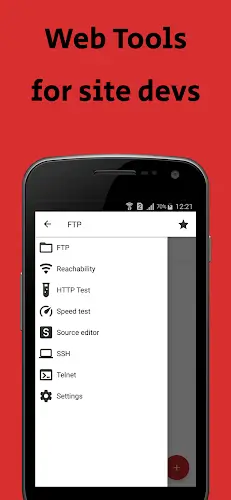
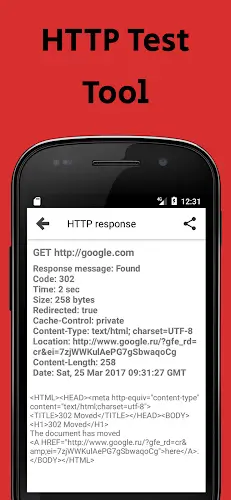
The Web Tools app delivers a suite of essential features for comprehensive website management. It provides FTP, SFTP, SSH, and Telnet clients, along with HTTP diagnostics, speed tests, a code editor, and API debugging tools. This gives administrators a complete toolkit to connect to and manage their sites across multiple protocols. Such capabilities are vital when you need to edit files on a remote server or assess the performance of your web applications.
Advantages for Website Administrators
The Web Tools application goes beyond simple connectivity—it's a robust assistant for system admins and developers. Here's a detailed look at its key benefits:
Monitoring Website Activity Remotely
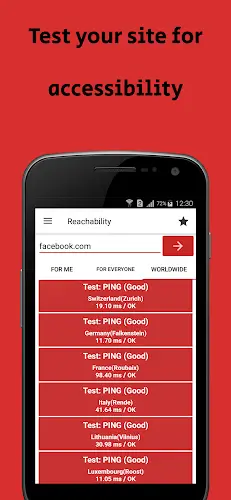
Technical Aspect: The app likely uses website monitoring protocols, such as HTTP request pings, to remotely track site uptime and performance.
Benefit: Admins can get live status updates, ensuring their site is active and responding correctly. This enables the early detection of potential outages or slowdowns.
Fixing Server Problems
Technical Aspect: Built-in diagnostic tools allow connection via SSH, FTP, or Telnet to inspect server logs, configurations, and running services.
Benefit: Administrators can diagnose and resolve server errors directly from the app. They can examine logs, adjust settings, and restart services as needed.
Analyzing Website Performance
Technical Aspect: The app employs performance testing methods, like sending requests and measuring latency and load times.
Benefit: Users can evaluate site speed, pinpoint bottlenecks, and make optimizations. This includes checking page load duration, server response times, and resource usage.
Editing and Debugging Code
Technical Aspect: Integrated code editors and debugging tools support various programming languages for direct file access.
Benefit: Admins can debug and optimize website source code on the go. Immediate edits can be made to fix bugs or improve functionality without switching devices.
Boosting Productivity
Technical Aspect: An intuitive interface, quick access to tools, and real-time data contribute to a more efficient workflow.
Benefit: Website administrators can manage tasks more swiftly and address issues faster, reducing downtime and enhancing the end-user experience.
Quick Problem Solving
Technical Aspect: Real-time monitoring combined with remote control capabilities allows for rapid issue identification and action.
Benefit: Problems can be addressed almost immediately, drastically cutting resolution time and minimizing service interruptions.
Secure Data Communication
Technical Aspect: Secure protocols like SSH encrypt connections for server access, protecting sensitive data during transmission.
Benefit: Admins can interact with servers and modify code with confidence, knowing the connection is shielded from common vulnerabilities.
API Integrations
Technical Aspect: The app may offer APIs to connect with external systems like Content Delivery Networks (CDNs) or database management platforms.
Benefit: This enables task automation and data fetching from other services, creating a more streamlined and connected management ecosystem.
Then vs. Now
The evolution highlighted here is significant. Where website management was once tied to the desktop, the Web Tools app marks a major leap forward. It dramatically expands the scope and flexibility of the role, allowing administrators to work effectively from anywhere, at any time.
Practicality and Adaptability
Ultimately, Web Tools is celebrated for its sheer utility and flexibility. With just an Android smartphone, users can execute numerous remote tasks—from running internet speed tests and uploading website files to debugging code and more. This versatility makes the app an essential instrument for any website administrator or developer.
Conclusion
Web Tools has truly transformed website management, addressing the core demands of system administrators and web developers. By enabling robust remote management, offering exceptional flexibility, and providing a diverse toolkit, this application has become an indispensable asset for anyone in the field. In this article, we also provide the MOD APK file with Premium features unlocked for free. Dive in and discover it for yourself!